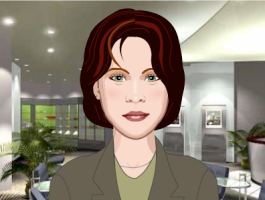
Type in a message in the box and Chester the character will speak that out. Then you can send the message to your friends.

CHESTER´S FEED GAMES
Hi kids!TURN YOURSELF IRISH!
Celebrate the month of love sending a talking Monk-e-mail to your friends: SEND A TALKING VALENTINE MESSAGE
DENTURE YOUR DOG!
Hi kids!CREATE A SPEAKING GREETING CARD
CREATE A CELL PHONE TALKING AVATAR
SEND A TALKING MESSAGE WITH FLOWERS
Hi kids! Here is a new activity by Oddcast. Click on the picture and listen to the message that this cute baby has got for you.CREATE TALKING BABY MESSAGES!
GET MUNKED WITH ALVIN AND THE CHIPMUNKS
You can also create your own Halloween video greetings and animated cards with your face on the body at CardFunk and JibJab (Monster Mash).
Enjoy creating and sending e-cards on Halloween!
SEND HALLOWEEN E-CARDS
DEAR PAUL, HOW DO YOU SAY... IN ENGLISH?
REMEMBERING MICHAEL JACKSON
SINGING TELEGRAM MACHINE
Ready to have fun, children? Choose which chimp you want to be your messenger and then pick the animal´s hair, clothing, props and location. When you like your monkey, choose from three standard greetings or write a text-to-voice message. Enjoy!SEND A MONK-E-MAIL!
On the website Get Munked you are going to be transformed into a chipmunk! Choose your hair, body type and background. You can use pre-recorder audio or text to speech and then listen to yourself talking as a chipmunk. It´s really fun!MUNK YOURSELF!
On the website Honest Johnny you can create a talking avatar: choose your character, change his/her appearance (mouth, nose, skin, eyes, hair) or accessories and add audio with text to speech or choose a pre-recorded message. Finally you can send it as e-mail to your friends. CREATE A TALKING CHARACTER
Oddcast Text to Speech Translator is an interesting language tool. Simply type in the box the word or phrase you want to listen, select the language (from Spanish to English or from English to Spanish) and click on "SAY IT". TEXT TO SPEECH TRANSLATOR